TSVB Buttons

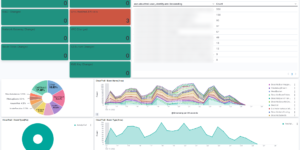
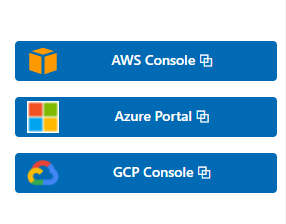
This visualization is an example of how to use buttons within Kibana dashboards. Its using custom CSS to style the buttons like normal Kibana buttons.

Its also using images and other elements for the links. The example is linking to AWS cloud portal, GCP portal and Azure portal. The links can easily be replaced by any link you like.

There are similar CSS styled elements used in our Kibana Observability dashboards.

If you like to link to different content based on the data that is shown in your dashboard its better to use drill downs.

Tested versions 7.x
ECS compliant No

You must log in to submit a review.

Related downloads

UberAgent Monitoring Suite

Comprehensive dashboard suite for UberAgent data in Kibana/OpenSearch.

Traffic light using Vega

This traffic light visualizations is build with vega. The thresholds can be defined via values within the document itself.

Google Cloud monitoring dashboard

Dashboard to monitor GCP resources using different metrics and logs.

Observability Kibana Dashboard

A single pane of glass dashboard for Logs, Metrics, APM data and business KPIs.

Resource Optimization Dashboard

Elastic Resource Optimization Dashboard to seamlessly integrate APM insights with cloud cost data for actionable resource management and cost-saving strategies

Spring Boot Micrometer Dashboard

Monitor Spring Boot applications using Micrometer metrics.

These downloads could be also interesting for you

APM Services overview canvas

Average rating:

An adaptive turn key canvas example based on Elastic APM data.

Vega Scatterplot Kibana visualization

A scatterplot visualization made with Vega Lite for Kibana

Terraform Elasticsearch environments

Terraform example scripts to deploy Elastic Cloud Clusters + all necessary components in AWS and GCP

osquery performance dashboard

Kibana Dashboard example to visualize osquery performance

AWS Cloudtrail Monitoring dashboard

Deep insights into AWS Cloudtrail events for SIEM and Monitoring