
Elastic Observability Download overview
Observability is a quality indicator for a application, similar as convenience, high accessibility, and security. The objective of planning and building an observable framework is to ensure that it is run all the time. Administrators can recognize unfortunate practices (for example administration personal time, mistakes, slow reactions) and have significant data to nail down underlying driver in a successful way (for example point by point occasion logs, granular asset utilization data, and application follows). Normal difficulties keeping associations from accomplishing this apparently clear objectives incorporate not gathering sufficient data, gathering an excessive amount of data, however not making it significant, and dividing admittance to this data. Elastic Observability helps find issues within your IT systems and application as early as possible. After finding that there are issues users can identify the root cause. The following list of downloads extending the out of the box Kibana dashboards.
Elastic Observability downloads
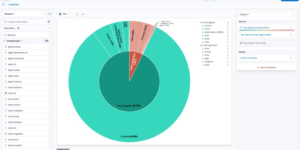
Office 365 dashboards

A collection of Kibana dashboards to provide a holistic view of Microsoft Office 365 environments

Cloudflare Kibana dashboards
Cloudflare dashboards and ingest pipelines to visualize cloudflare logs
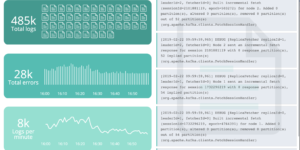
Filebeat Log analysis canvas example
This is a simple canvas dashboard example that analyzes logs created by Filebeat.
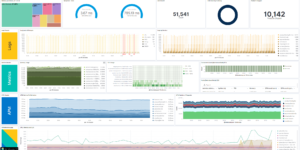
Observability Kibana Dashboard
A single pane of glass dashboard for Logs, Metrics, APM data and business KPIs.
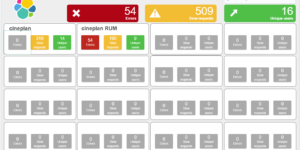

Watch to detect large shards
This watch is getting data from the Elasticsearch shards API directly and checking for large shards.
Watch for changes in IOWaits
A watch which alerts if the time spent by a hosts CPU in IOWait, has increased by more than than N% in the last Y mins.
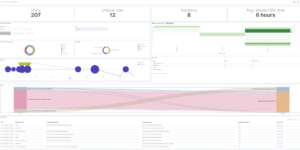
RUM extension dashboard
This dashboard provide deeper insight into the real user monitoring data collected by Elastic RUM.
More about Elastic Observability
Show on YouTube: What is Elastic Observability? or play it directly here.
Observability is the combination of Log analytics, Metrics analysis, Application performance analysis (APM) and availability monitoring called uptime.
Elastic APM is an application performance monitoring system built on the Elastic Stack. Elastic APM makes it easy to pinpoint and fix performance problems quickly. In this video, you will learn what traces are and how they can be used to better understand your applications.
All 4 categories of Observability can be done with the Elastic Stack. Kibana dashboards in this category showing how effective it is to correlate these 4 data sources into one singe view.