Elastic Stack Monitoring

The Elastic Stack (formerly known as ELK stack) is a very powerful tool for any kind of Search, Monitoring or Security Use Case. Therefore using the stack to monitor itself is a low hanging fruit. The recommended setup is to use the separate Self Monitoring cluster for this purpose.

Elastic comes with a lot of inbuilt monitoring capabilities. The Elastic Agent as well as the Beats do have integrations / modules to collect the necessary data. By using the Elastic Cloud the self monitoring can be activated for any cluster.

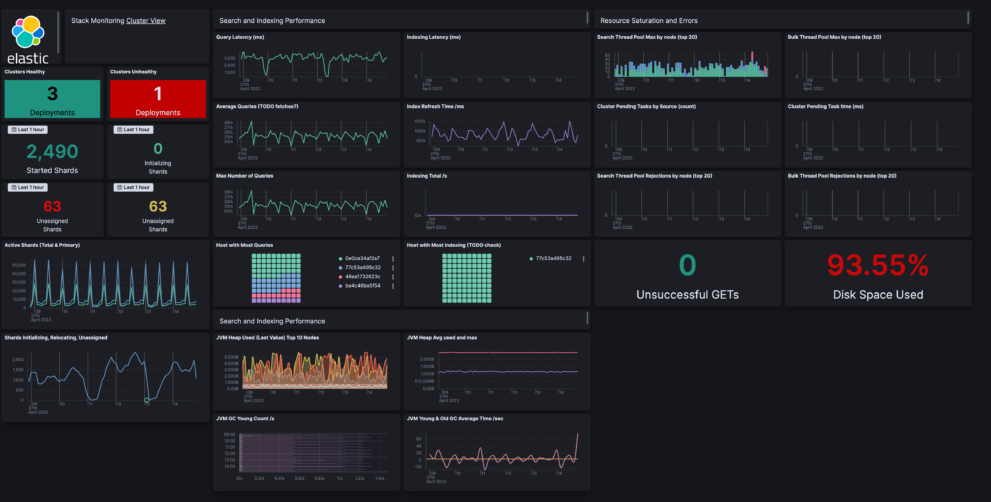
Nevertheless using the inbuilt monitoring app can be very helpful. But if a user has already a separate cluster to monitor the production cluster it makes sense to use all available capabilities also for that. Thats the reason we have Elasticsearch Monitoring dashboards as an extension to the normal behavior like this one.

This Elastic Stack Monitoring Dashboard includes the following components:

  1. Create 2 index patterns / data views
  2. Create 1 transform
  3. Create Dashboard from ndjson file

Source: https://github.com/jeffvestal/elastic-stack-monitoring-dashboard

Tested versions 8.x
ECS compliant Yes

You must log in to submit a review.
Related downloads

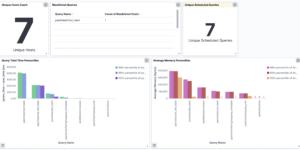
Elastic Stack Monitoring Dashboard

Kibana dashboards that is showing the monitoring data collected by Elastics in built monitoring capabilities.

Threat detection Kibana dashboard

Kibana dashboard example visualizing the results of the Elastic SIEM detection engine

Azure billing data network

A vega visualization that shows the connection between resource group, resource type and the resource itself based on Elastic agent azure billing data integration.

Google Cloud monitoring dashboard

Dashboard to monitor GCP resources using different metrics and logs.

Filebeat Suricata Canvas dashboard

A Kibana Canvas dashboard example that visualizes suricata logs collected with Filebeat.

These downloads could be also interesting for you

Ask Me Anything Booth – Canvas Example

This is an example canvas page that shows how to visualize using canvas in general.

Ingest Pipeline Monitoring

This Kibana dashboard can be used monitor your ingest pipelines

Timetable canvas

This canvas examples shows timetable data from trains. Its build based on the real world information panel in german trian stations. Its refreshing based on current time.

AWS VPCFlow Kibana dashboard

Kibana dashboard for AWS VPCFlow log events

PI Hole Logstash Pipeline and Dashboard

A filter for Logstash parsing PI-Hole logs + Dashboard to visualize the data

Observability Kibana Dashboard

A single pane of glass dashboard for Logs, Metrics, APM data and business KPIs.