Microsoft 365 Dashboards

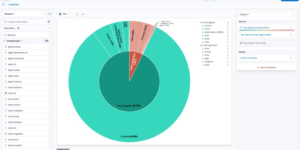
Gain insights into your Microsoft 365 environment with these Kibana dashboards.
Designed to work with the Elastic M365 integration, they provide visualizations for:

  • Exchange Online: Mail traffic, user activity.
  • SharePoint & OneDrive: File operations and user interactions.
  • Teams: Usage and activity metrics.
  • Azure AD: Sign-in logs and audit events.

Contents: Single NDJSON file containing the dashboard objects.

Source: eric-ooi/elastic-m365

Tested versions
ECS compliant

You must log in to submit a review.

Related downloads

Logstash Pipeline for Talend ESB & MDM

A Logstash Pipeline to collect json logs from Talend ESB & MDM.

Detection engine alerts overview dashboard

Average rating:

Kibana Canvas dashboard that shows an aggregated view on the results of the detection engine in Elastic Security.

APM Services overview canvas

Average rating:

An adaptive turn key canvas example based on Elastic APM data.

Ingest Pipeline Monitoring

This Kibana dashboard can be used monitor your ingest pipelines

Sigma Windows Process Creation detection rules

A collection of rules based on the Sigma rules for Windows (process creation folder) based on Winlogbeat data .

These downloads could be also interesting for you

UberAgent Monitoring Suite

Comprehensive dashboard suite for UberAgent data in Kibana/OpenSearch.

Buttons for Kibana dashboards

Link to every content you want within your Kibana dashboards. This example is using links to cloud providers.

Watch to detect large shards

This watch is getting data from the Elasticsearch shards API directly and checking for large shards.

Sigma Windows inbuilt detection rules

A collection of rules based on the Sigma rules for Windows (inbuilt folder) based on Winlogbeat data .

Impossible travel transform job

Impossible travel detection by calculating the distance between two login locations in combination with the time between the two logins

Kibana Canvas examples collection

Average rating:

A collection of canvas examples, like using conditionals, creating buttons, animations or context menues. Just copy paste into your Kibana Canvas project.