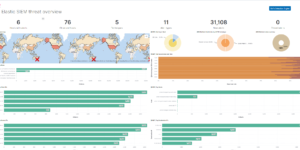
Squid Proxy Access Logs Dashboard

Visualize your Squid Proxy traffic with this dedicated Kibana dashboard.
Tailored for data ingested via Filebeat’s Squid module, it offers insights into:

  • Traffic Volume: Bytes sent/received over time.
  • Top Domains: Most visited websites and domains.
  • Response Codes: HTTP status code distribution (200, 403, 503, etc.).
  • Client Activity: Top source IPs and user agents.

Contents: NDJSON file containing the dashboard and visualizations.

Source: molu8bits/squid-filebeat-kibana

Tested versions
ECS compliant

You must log in to submit a review.

Related downloads

Data flow canvas

Average rating:

This canvas examples shows some possibilities of how to visualize data flows. Every flow can be activated / deactivated based on your Elasticsearch data.

Filebeat Suricata Canvas dashboard

A Kibana Canvas dashboard example that visualizes suricata logs collected with Filebeat.

Vega Clock UTC

This is a working clock visualization in UTC time.

Logstash REST to exec scripts

Make Logstash a REST endpoint that executes scripts or manually adds data in Elasticsearch.

Postfix Mail Server Dashboard

Monitor Postfix mail server logs with Kibana.

Playable Pacman

This is a playable version of pacman made with Vega.

These downloads could be also interesting for you

Kibana Enhanced Table plugin

Data Table visualization with enhanced features like computed columns, pivot table or filter bar

Coffee Canvas Example

Kibana Canvas example infographic to show coffee consumption on a wallboard

Vega Scatterplot Kibana visualization

A scatterplot visualization made with Vega Lite for Kibana

Squid Proxy Access Logs Dashboard

Analyze Squid Proxy access logs ingested via Filebeat.

Logstash Meraki Pipeline

Logstash Pipeline to load Meraki logs via Syslog into Elasticsearch

Sigma Elastic SIEM rules for web server logs

A collection of rules based on the Sigma detection rules for web server looks, e.g. apache, nginx or IIS.