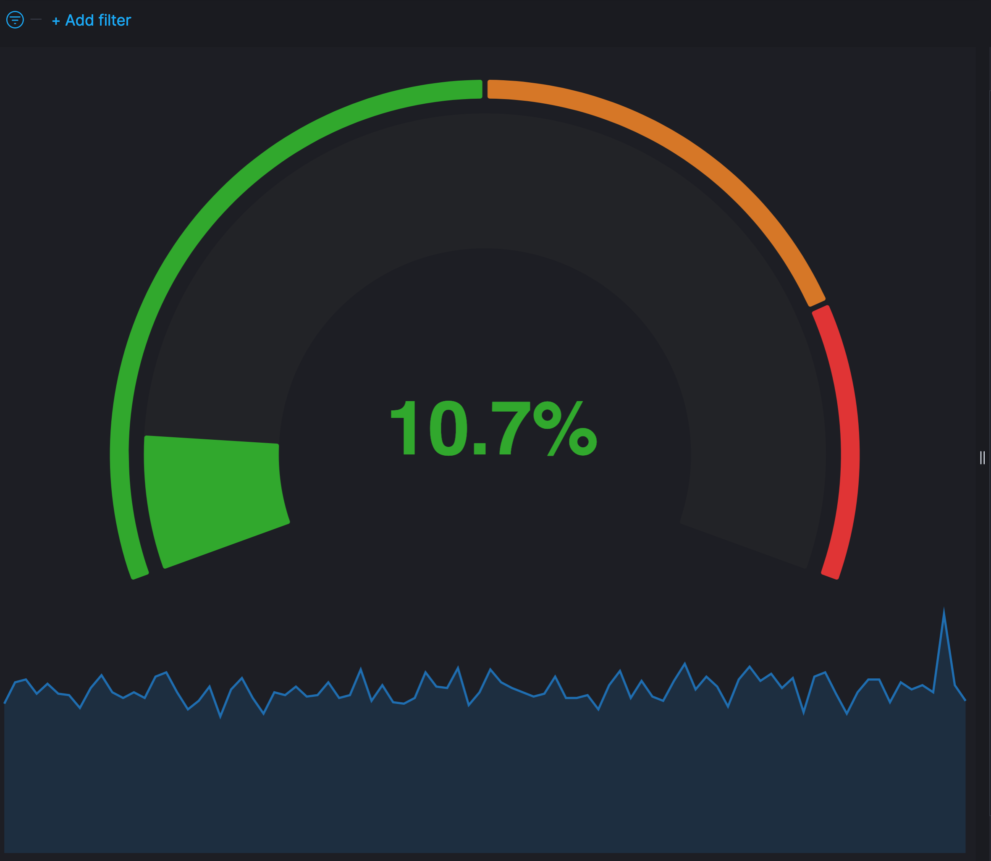
Vega Compound gauge

Description

These are Compound Gauges made with Vega. The download includes two examples. The examples are made with ECS compliant metric data. You can either use the system integration package of the Elastic Agent or Metricbeat with the system module. Both will show you results. If you don’t have a metric index your deployment you will see an error message.

Compound Percent Gauge

This one is good for percent values like Percent CPU. Configure the colors and the steps base on your needs.

Compound Value Gauge

This one is good for values like Load Average. While any metric can be used its always good to know the range the values will be in.

Tested versions 7.x
ECS compliant

You must log in to submit a review.
Related downloads

Vega Compound Gauge

This is a compund gauge visualization made with Vega. Its very helpful for visualization of percentage values.

osquery performance dashboard

Kibana Dashboard example to visualize osquery performance

RUM extension dashboard

This dashboard provide deeper insight into the real user monitoring data collected by Elastic RUM.

Vega Clock UTC

This is a working clock visualization in UTC time.

Threat detection Kibana dashboard

Kibana dashboard example visualizing the results of the Elastic SIEM detection engine

Resource Optimization Dashboard

Elastic Resource Optimization Dashboard to seamlessly integrate APM insights with cloud cost data for actionable resource management and cost-saving strategies

These downloads could be also interesting for you

AWS VPCFlow Kibana dashboard

Kibana dashboard for AWS VPCFlow log events

Observability Kibana Dashboard

A single pane of glass dashboard for Logs, Metrics, APM data and business KPIs.

Elastic Stack Monitoring Dashboard

Kibana dashboards that is showing the monitoring data collected by Elastics in built monitoring capabilities.

APM Services overview canvas

Average rating:

An adaptive turn key canvas example based on Elastic APM data.

Buttons for Kibana dashboards

Link to every content you want within your Kibana dashboards. This example is using links to cloud providers.

Data flow canvas

Average rating:

This canvas examples shows some possibilities of how to visualize data flows. Every flow can be activated / deactivated based on your Elasticsearch data.