azure-graph network with vega

Description

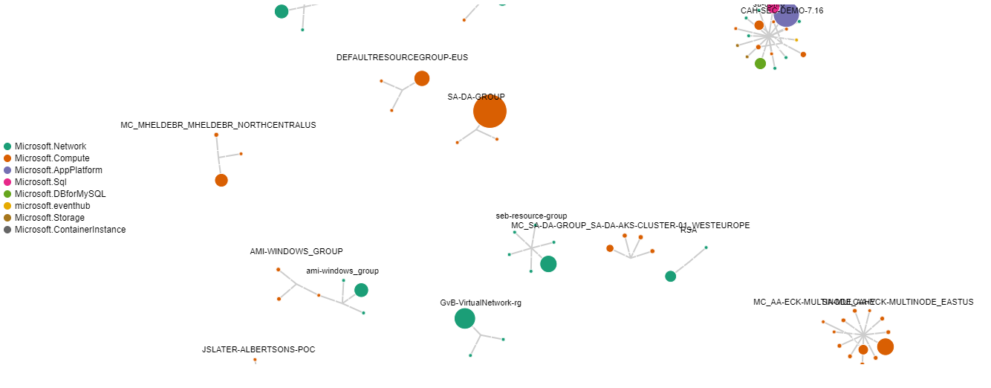
This Kibana vega example is using the Azure billing data integration from Elastic Agent to visualize the connections between azure resource groups, azure resource types and the resources itself based on the billing data. This results in an Azure billing data network for your used resources.

It is very helpful to analyze to costs that are generated within azure and can be used to get a high level overview about the different resources being used and the amount of money it takes to run them.

Its build based on the Vega Force Directed Layout example. I also used this adaption of the example that is already using Elasticsearch data as input. The second example is visualizing the connections between different IPs and the used protocols which can be very helpful to extend Elastic Security use cases.

Using this Kibana Vega example you can learn

  • How to use Elasticsearch data to visualize with Vega
  • How to effectively use transforms to prepare your data for visualization purposes
  • How to work with customized tooltips within Kibana

Tested versions 8.x
ECS compliant Yes

You must log in to submit a review.
Related downloads

Elasticsearch Performance Troubleshooting Kit

Download the Elasticsearch Performance Troubleshooting Kit to efficiently diagnose and resolve slow query issues in your Elasticsearch environment.

PI Hole Logstash Pipeline and Dashboard

A filter for Logstash parsing PI-Hole logs + Dashboard to visualize the data

Filebeat Log analysis canvas example

This is a simple canvas dashboard example that analyzes logs created by Filebeat.

Ask Me Anything Booth – Canvas Example

This is an example canvas page that shows how to visualize using canvas in general.

Azure billing data network

A vega visualization that shows the connection between resource group, resource type and the resource itself based on Elastic agent azure billing data integration.

Detection engine alerts overview dashboard

Average rating:

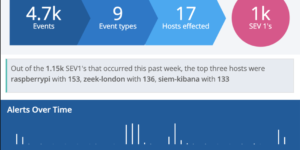
Kibana Canvas dashboard that shows an aggregated view on the results of the detection engine in Elastic Security.

These downloads could be also interesting for you

Playable Pacman

This is a playable version of pacman made with Vega.

RUM extension dashboard

This dashboard provide deeper insight into the real user monitoring data collected by Elastic RUM.

Detection engine alerts overview dashboard

Average rating:

Kibana Canvas dashboard that shows an aggregated view on the results of the detection engine in Elastic Security.

Elasticsearch Performance Troubleshooting Kit

Download the Elasticsearch Performance Troubleshooting Kit to efficiently diagnose and resolve slow query issues in your Elasticsearch environment.

Sigma detection rules for proxy server logs

A collection of rules based on the Sigma detection rules for proxy server and web server looks, e.g. zeek or suricata.

Crawler dashboard

A Kibana dashboard that visualizes the result of the crawler from Elastic Enterprise Search