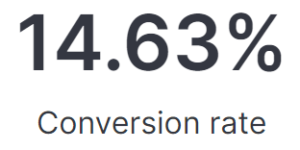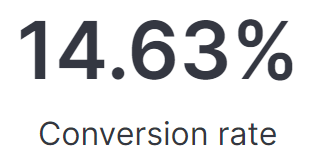
Lens Conversion Rate

This visualization is using Lens formulas to calculate the conversion rate of any web application based on real user monitoring data. This is part of the this blog article about real user monitoring.

After uploading this visualization into your environment you need to make sure to define the pages that reflecting successful conversions. Do this by simply adapting the value in the lens formula box.

Tested versions 7.14
ECS compliant Yes

You must log in to submit a review.
Related downloads

RUM extension dashboard

This dashboard provide deeper insight into the real user monitoring data collected by Elastic RUM.

APM Services overview canvas

Average rating:

An adaptive turn key canvas example based on Elastic APM data.

Lens Conversion Rate

Lens conversion rate for RUM data using Lens Formulas

These downloads could be also interesting for you

Sigma Windows Process Creation detection rules

A collection of rules based on the Sigma rules for Windows (process creation folder) based on Winlogbeat data .

Google Cloud Log Ingestion dashboard

Canvas Board to analyze the log data collection of Google Cloud via Dataflow using the Google Cloud Metric module data

Coffee Canvas Example

Kibana Canvas example infographic to show coffee consumption on a wallboard

Filebeat Log analysis canvas example

This is a simple canvas dashboard example that analyzes logs created by Filebeat.

APM Services overview canvas

Average rating:

An adaptive turn key canvas example based on Elastic APM data.

Buttons for Kibana dashboards

Link to every content you want within your Kibana dashboards. This example is using links to cloud providers.