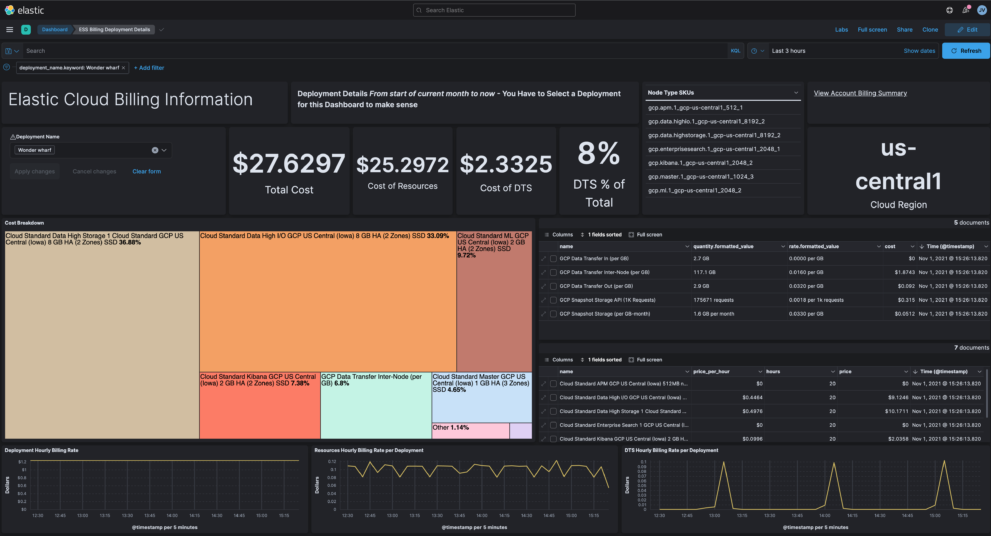
Elastic Cloud dashboard

Description

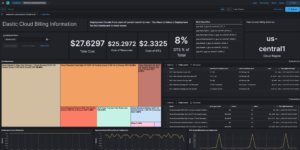
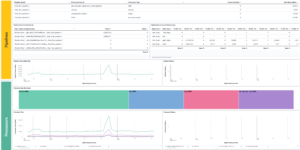
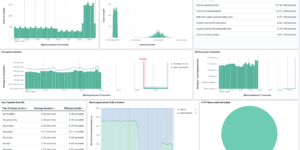
This download is visualizing billing information from Elastic Cloud in your Elastic Stack deployment. Its the ideal way to extend your monitoring cluster. The Elastic Cloud billing information including data about how much you spend per resource, cluster and or environment.

Depending on the section, info can include:

  • costs
    • total costs
    • hourly rate
    • DTS
  • resources
    • node type breakdown

You can find more information about the data that gets collected in the Elastic documentation. To collect the information you can use the script that is part of the source for this download. You can find that here.

Using the Elastic Cloud billing information you can analyse your costs and maybe find ways to reduce it.

Source

Originally found at GitHub: https://github.com/jeffvestal/ess-billing-ingest

Tested versions 7.15
ECS compliant No

You must log in to submit a review.

Related downloads

PI Hole Logstash Pipeline and Dashboard

A filter for Logstash parsing PI-Hole logs + Dashboard to visualize the data

Elasticsearch Performance Troubleshooting Kit

Download the Elasticsearch Performance Troubleshooting Kit to efficiently diagnose and resolve slow query issues in your Elasticsearch environment.

Azure billing data network

A vega visualization that shows the connection between resource group, resource type and the resource itself based on Elastic agent azure billing data integration.

Ingest Pipeline Monitoring

This Kibana dashboard can be used monitor your ingest pipelines

Detection engine alerts overview dashboard

Average rating:

Kibana Canvas dashboard that shows an aggregated view on the results of the detection engine in Elastic Security.

Crawler dashboard

A Kibana dashboard that visualizes the result of the crawler from Elastic Enterprise Search

These downloads could be also interesting for you

Resource Optimization Dashboard

Elastic Resource Optimization Dashboard to seamlessly integrate APM insights with cloud cost data for actionable resource management and cost-saving strategies

Data flow canvas

Average rating:

This canvas examples shows some possibilities of how to visualize data flows. Every flow can be activated / deactivated based on your Elasticsearch data.

AWS VPCFlow Kibana dashboard

Kibana dashboard for AWS VPCFlow log events

Elastic Cloud Monitoring dashboard

Kibana dashboard that uses the Elastic Cloud monitoring data to provide better insights into what’s happening in your cloud environment.

PI Hole Logstash Pipeline and Dashboard

A filter for Logstash parsing PI-Hole logs + Dashboard to visualize the data

Threat detection Kibana dashboard

Kibana dashboard example visualizing the results of the Elastic SIEM detection engine