Sankey visualization

Description

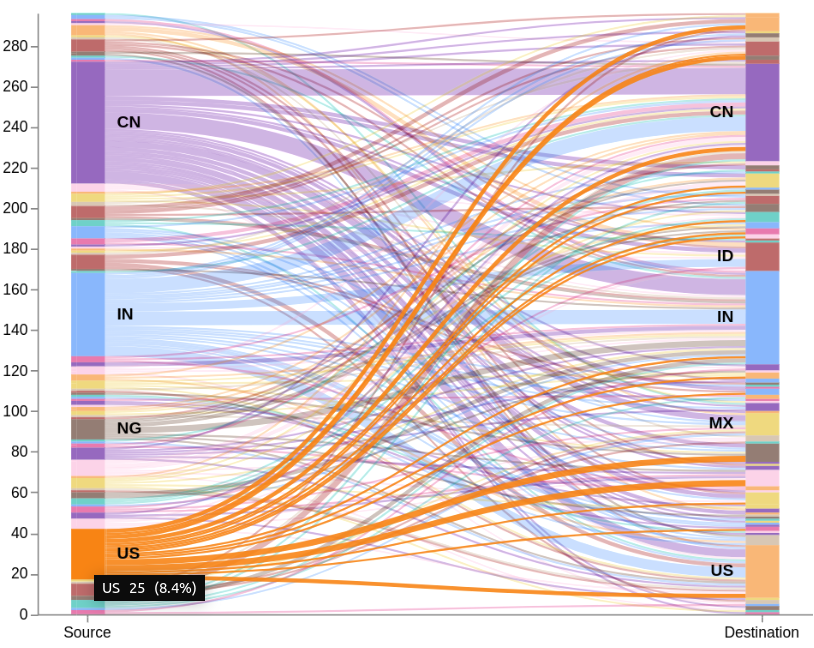
This is an example of how to build an sankey visualization using the vega visualization in Kibana. This vega example has three versions of the sankey visualization. Its an 2 Level, 4 Level and 7 Level example. A Sankey visualization is a great way to show the movement of users through your application. It can also be used for any other kind of data representation that is based on multiple levels and each level has an defined start and ending point.

A Sankey chart is a kind of stream chart with the width of the lines shown relatively to the stream amount. Every passage in the example information has source and objective nation code. The chart will have two modes: all-to-all (default), in addition to it will permit clients to choose either the source or the objective nation, and show just related traffic.

Remarks

This download is not able to run immediately. But its easy to adapt to your needs. You only need to change the index to search in and also the fields that contain the source and the destination information.

Make sure source and destination contain similar values to make it work.

Source

If you wanna learn more about that check this blog which is the source for that example:

https://www.elastic.co/de/blog/sankey-visualization-with-vega-in-kibana

Tested versions
ECS compliant

You must log in to submit a review.

Related downloads

Filebeat Log analysis canvas example

This is a simple canvas dashboard example that analyzes logs created by Filebeat.

Elastic Stack Monitoring Dashboard

Kibana dashboards that is showing the monitoring data collected by Elastics in built monitoring capabilities.

Azure billing data network

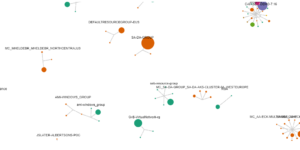
A vega visualization that shows the connection between resource group, resource type and the resource itself based on Elastic agent azure billing data integration.

Uptime watch using Heartbeat data

This watch checks the availability of your Heartbeat observed services. It will trigger an alert whenever at least one of your services is down.

Timetable canvas

This canvas examples shows timetable data from trains. Its build based on the real world information panel in german trian stations. Its refreshing based on current time.

Watcher History Dashboard

This dashboard shows the history of executed watcher jobs.

These downloads could be also interesting for you

Kibana alerting enhancement

This bundle enhances the Kibana alerting experience. Storing all relevant information in indices and visualize the data in dashboards.

Lens Conversion Rate

Lens conversion rate for RUM data using Lens Formulas

AWS VPCFlow Kibana dashboard

Kibana dashboard for AWS VPCFlow log events

APM Services overview canvas

Average rating:

An adaptive turn key canvas example based on Elastic APM data.

Observability Kibana Dashboard

A single pane of glass dashboard for Logs, Metrics, APM data and business KPIs.

Google Cloud Log Ingestion dashboard

Canvas Board to analyze the log data collection of Google Cloud via Dataflow using the Google Cloud Metric module data