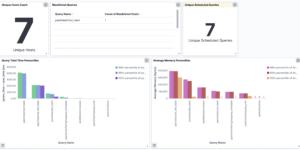
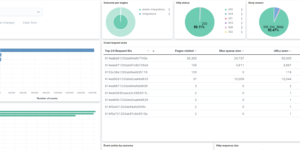
Squid Proxy Access Logs Dashboard

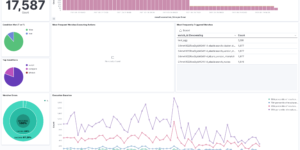
Visualize your Squid Proxy traffic with this dedicated Kibana dashboard.
Tailored for data ingested via Filebeat’s Squid module, it offers insights into:

  • Traffic Volume: Bytes sent/received over time.
  • Top Domains: Most visited websites and domains.
  • Response Codes: HTTP status code distribution (200, 403, 503, etc.).
  • Client Activity: Top source IPs and user agents.

Contents: NDJSON file containing the dashboard and visualizations.

Source: molu8bits/squid-filebeat-kibana

Tested versions
ECS compliant

You must log in to submit a review.

Related downloads

Kibana alerting enhancement

This bundle enhances the Kibana alerting experience. Storing all relevant information in indices and visualize the data in dashboards.

Azure billing data network

A vega visualization that shows the connection between resource group, resource type and the resource itself based on Elastic agent azure billing data integration.

Move to next ILM phase Watcher

This watcher job is moving specific indices based on e.g. disc usage into the next ILM phase.

Coffee Canvas Example

Kibana Canvas example infographic to show coffee consumption on a wallboard

Plex ingest node pipeline

A plex ingest node pipeline to parse logs from Plex for Elasticsearch

These downloads could be also interesting for you

Logstash Meraki Pipeline

Logstash Pipeline to load Meraki logs via Syslog into Elasticsearch

Watch to detect large shards

This watch is getting data from the Elasticsearch shards API directly and checking for large shards.

Filebeat Suricata Canvas dashboard

A Kibana Canvas dashboard example that visualizes suricata logs collected with Filebeat.

Office 365 dashboards

A collection of Kibana dashboards to provide a holistic view of Microsoft Office 365 environments

Coffee Canvas Example

Kibana Canvas example infographic to show coffee consumption on a wallboard

APM Services overview canvas

Average rating:

An adaptive turn key canvas example based on Elastic APM data.